Prep Me
You are the best for the next interview.
Prep Me studies the role, the company and the people you'll meet. It rehearses the interview with you out loud until you're ready, and on the day it keeps the right words beside you.
By invitation for now. Your first interview and five rehearsals are free. macOS 15 or later.
Three steps, one interview.
Most tools start when the interview does. Prep Me starts the week before, because that is when interviews are won.
Prepare
Paste the job posting, the recruiter's emails and your résumé. Prep Me researches the company, the role and each interviewer, then writes what you'll need to say, from your real experience.
Rehearse
A spoken interviewer asks the questions you're likely to get. You answer aloud, as often as you like, until the score says you're ready.
The interview
During the real call a small panel beside your video call hears each question and suggests your answer within a couple of seconds.
Know when you're ready.
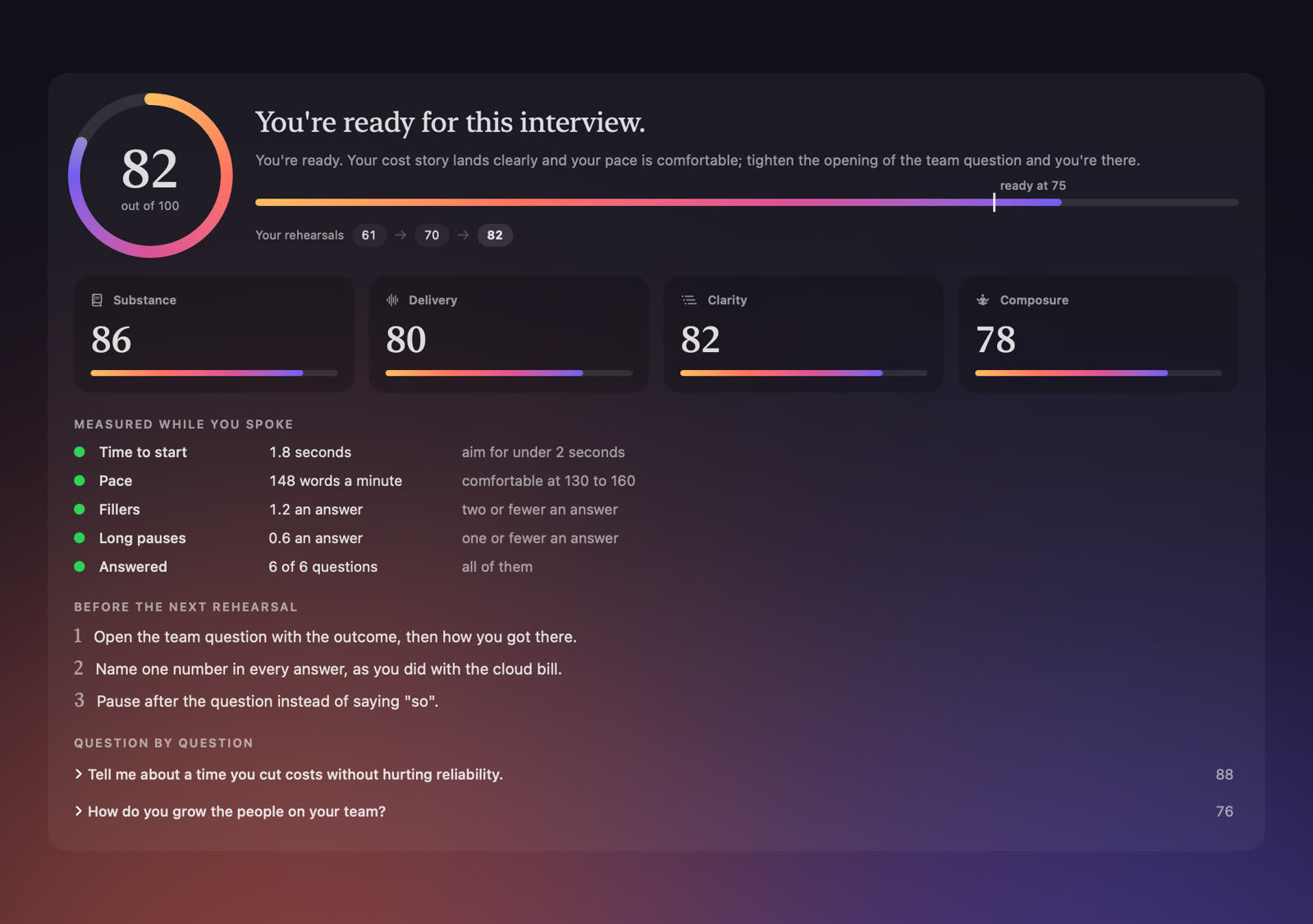
Every rehearsal ends with a readiness score against a clear bar, so you know when to stop practising and what to fix first.
- Four things judged: substance, delivery, clarity and composure.
- Measured while you spoke: how fast you started, your pace, your ums and your pauses.
- Three fixes to make before the next run, and your progress from one rehearsal to the next.
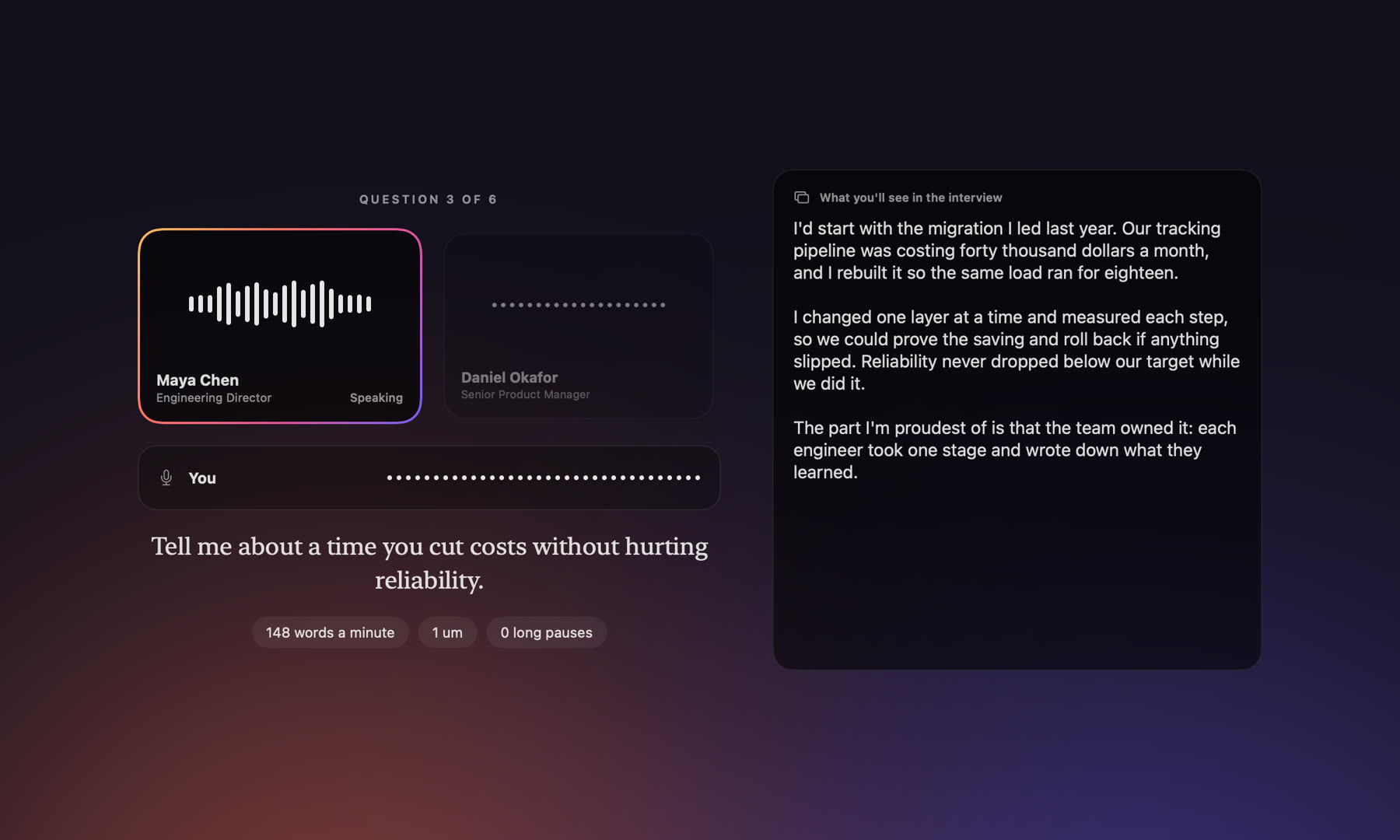
The right words, beside you.
On the day, Prep Me listens to the call and shows you what to say, in a small panel that sits beside your video call.
- Your own story. Answers come from your background. Prep Me never invents an employer, a title, a project or a number.
- Steady while you read. If the interviewer adds to a question, the answer you're reading stays put and only the new part is added.
- Every round builds on the last. Pass round one and Prep Me prepares you for the next from what was actually said.
How do you grow the people on your team?I give people stretch work with support around it. Last year I handed a hard migration to a mid-level engineer and paired with her weekly; she now leads that system.
In your language, and theirs.
A panel can mix languages, and each interviewer keeps to their own. Answers appear in the script you read best: native, simplified, romanised, or in English.
Pay when there's an interview to win.
Start free. No subscription needed.
One interview and five rehearsals, to see whether it works for you.
Full preparation, ten rehearsals and the live interview. Five more rehearsals are $5.
Ten interviews every month, for an active job search. Cancel any time.
Good to know.
How do I get the app?
Ask for an invitation with the Download button. We're letting people in a few at a time; when your place opens we email you a personal link, and the download starts as soon as you open it.
Which computers does it run on?
Macs running macOS 15 or later, on Apple silicon or Intel. A Windows version is planned.
macOS says it can't verify the app. What do I do?
- Unzip the download and move Prep Me to your Applications folder.
- Open it once. macOS will say it could not verify the app; choose Done.
- Open System Settings, then Privacy & Security, scroll down and choose Open Anyway.
You only do this once. We are completing Apple's verification so that this step goes away.
How do I sign in?
With your email. We send a code; there is no password to remember.
What does it need permission for?
The microphone, to hear your side, and screen and system audio recording, to hear the interviewer. The app walks you through both the first time.
Is it allowed in my interview?
Rules differ between employers. You are responsible for following the rules of any interview you take part in. Many people use Prep Me only to prepare and rehearse.
What happens to my data?
We store your email, your credits and the titles of your interviews. Your documents, preparation, transcripts and reports stay on your Mac. You can delete your account from inside the app at any time.
You've got this.